FiturFeatures

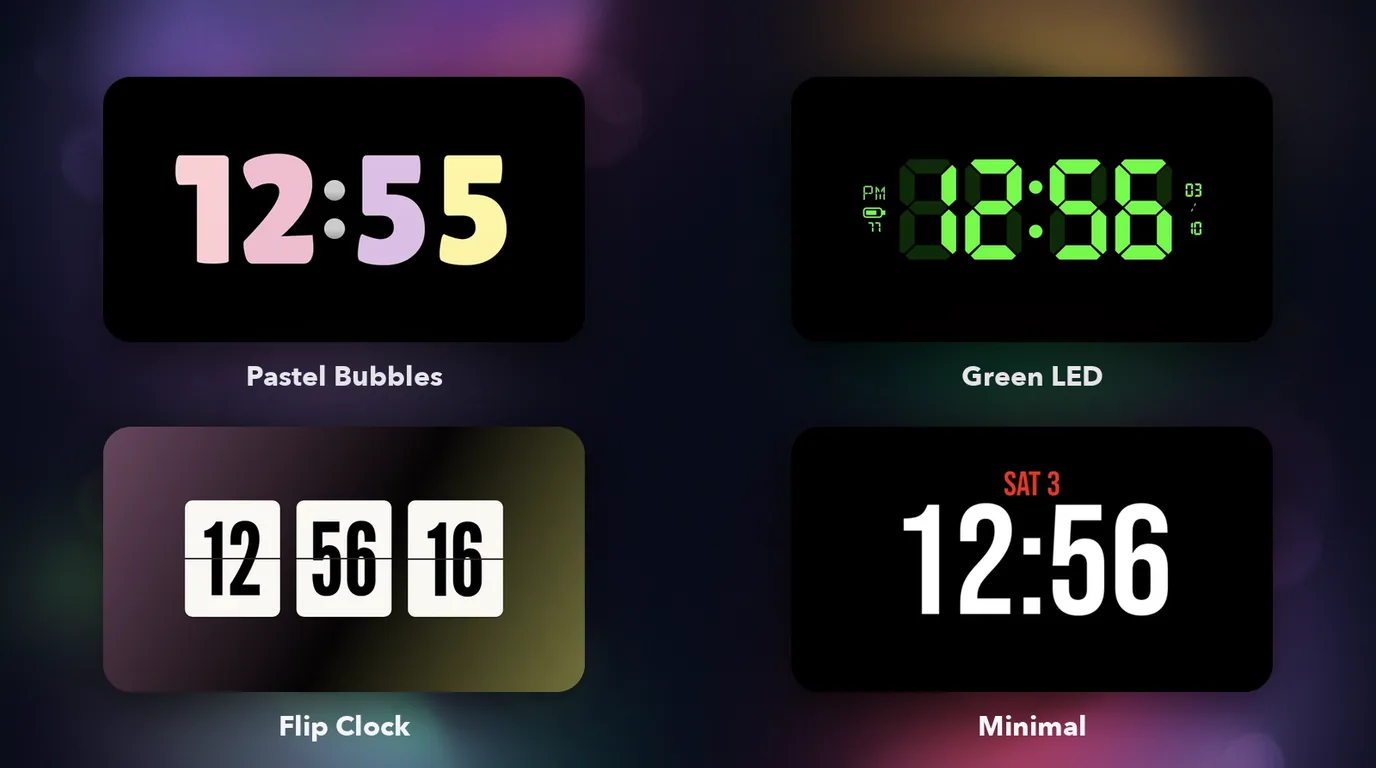
Empat tampilan jamFour clock faces

Pastel Bubbles dengan digit warna-warni, Green LED tujuh-segmen lengkap dengan baterai dan tanggal, Flip Clock, dan Minimal dengan tanggal merah. Semuanya diukur dari tampilan aslinya, sampai ke font dan warnanya.Pastel Bubbles with candy-coloured digits, a seven-segment Green LED with battery and date, Flip Clock, and Minimal with a red date. Every face was measured from the original, down to the fonts and colours.

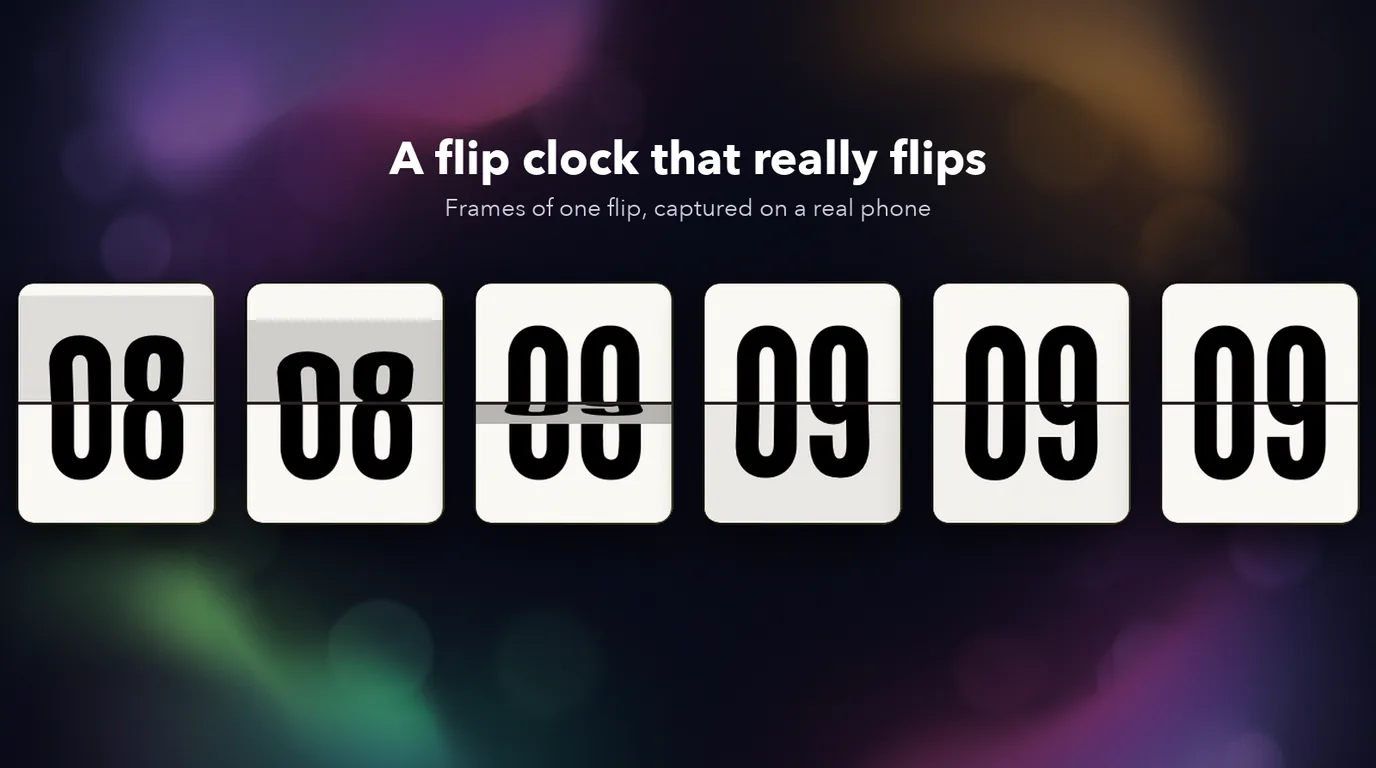
Flip Clock yang benar-benar melipatA flip clock that really flips

Kartu jam, menit, dan detik melipat 3D tiap detik, digambar frame demi frame di perangkatmu, dan melipat bersamaan saat menit atau jam berganti.The hour, minute and second cards flip in 3D every second, drawn frame by frame on your device, and flip together when the minute or hour changes.

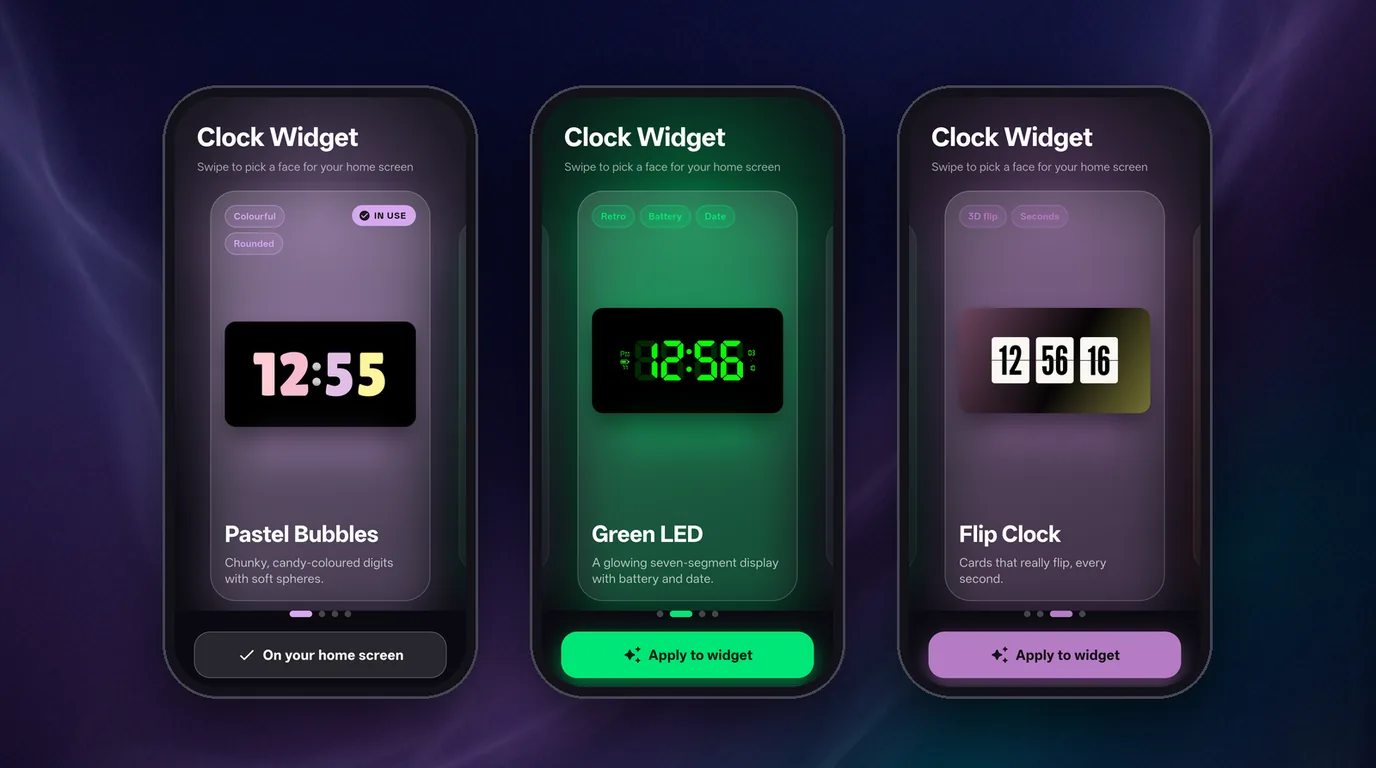
Ganti tampilan dengan satu geserSwitch faces with a swipe

Geser untuk memilih, ketuk Apply, dan widget di layar utama langsung berganti. Kalau ada versi baru dengan tampilan baru, kamu mendapat banner dan notifikasi.Swipe to pick, tap Apply, and the widget on your home screen switches at once. When a new version with a new face is out, you get a banner and a notification.

Cara memasangHow to install

  1. Unduh berkas APK di atas. Kebanyakan HP memakai arm64; kalau gagal terpasang karena tidak kompatibel, coba versi 32-bit.
  2. Buka berkas yang diunduh. Karena dipasang di luar Play Store, Android akan meminta izin "Instal aplikasi tidak dikenal" untuk browser atau file manager yang kamu pakai. Izinkan, lalu ketuk Instal.
  3. Tekan lama layar utama, pilih Widget lalu Clock Widget, dan letakkan. Buka app, geser ke tampilan yang kamu suka dan ketuk Apply to widget. Izinkan notifikasi supaya widget berdetak tepat waktu dan kamu tahu saat ada versi baru.
  4. Untuk memperbarui, pasang APK versi baru di atas yang lama; datamu tetap ada. Unduh hanya dari halaman ini.
  1. Download the APK above. Most phones use arm64; if it fails to install as incompatible, try the 32-bit version.
  2. Open the downloaded file. Because it is installed outside the Play Store, Android will ask you to allow "Install unknown apps" for the browser or file manager you use. Allow it, then tap Install.
  3. Long-press the home screen, choose Widgets then Clock Widget, and place it. Open the app, swipe to the face you like and tap Apply to widget. Allow notifications so the widget ticks exactly on time and you hear about new versions.
  4. To update, install the new APK over the old one; your data stays. Only download from this page.

Muncul peringatan saat mengunduh? Chrome memberi peringatan bahwa berkas "mungkin berbahaya" (contoh: "File might be harmful") untuk semua berkas APK yang diunduh di luar Play Store, bukan hanya app ini. Pastikan kamu mengunduh dari halaman ini: sumbernya biasanya tertulis github.com atau githubusercontent.com (server berkas rilis GitHub). Kalau sudah yakin, pilih opsi untuk tetap melanjutkan (misalnya "Download anyway"). Untuk memastikan berkasnya tidak berubah, cocokkan SHA-256 di Riwayat versi.

Seeing a warning while downloading? Chrome warns that a file "might be harmful" (for example "File might be harmful") for every APK downloaded outside the Play Store, not just this app. Make sure you are downloading from this page: the source is usually shown as github.com or githubusercontent.com (GitHub's release file servers). If you are sure, choose the option to continue anyway (for example "Download anyway"). To make sure the file is unchanged, compare its SHA-256 in the Version history.

PrivasiPrivacy

Clock Widget tidak punya akun, iklan, analitik, atau pelacak, dan tidak mengirim data pribadimu ke mana pun. Satu-satunya yang disimpan adalah tampilan yang kamu pilih, di HP-mu. Waktu dan baterai dibaca dari Android hanya untuk digambar di widget.

Clock Widget has no account, ads, analytics or trackers, and sends none of your personal data anywhere. The only thing stored is the face you picked, on your phone. The time and battery level are read from Android only to draw the widget.

Satu-satunya akses internet adalah memeriksa versi baru: sekitar sekali sehari app mengunduh satu berkas kecil dari apps.bontot.my.id, tanpa mengirim data apa pun. Saklar Check for updates di pengaturan app mematikannya. Tautan unduhan hanya dibuka di browser saat kamu mengetuk Download.

The only internet use is checking for a new version: about once a day the app downloads one small file from apps.bontot.my.id, sending no data. The Check for updates switch in the app's settings turns it off. The download link is opened in your browser only when you tap Download.

Izin: notifikasi dan layanan latar depan (agar widget berdetak tepat waktu, hanya saat layar menyala), alarm tepat waktu (cadangan per menit), dan internet (hanya untuk pemeriksaan versi).

Permissions: notifications and a foreground service (to tick exactly on time, only while the screen is on), exact alarms (a once-a-minute fallback), and internet (only for the version check).

Syarat & KetentuanTerms of Service

Catatan: Clock Widget adalah proyek independen dan tidak berafiliasi dengan StandBy Mode: Clock & Widgets maupun pengembangnya. Kodenya terbuka di GitHub (lisensi MIT).

Note: Clock Widget is an independent project and is not affiliated with StandBy Mode: Clock & Widgets or its developers. The code is open source on GitHub (MIT licence).
Riwayat versiVersion history

Versi lama tetap bisa diunduh. Untuk memastikan berkas tidak berubah, cocokkan SHA-256-nya dengan shasum -a 256 namaberkas.Older versions stay available. To verify a file is unchanged, compare its SHA-256 with shasum -a 256 filename.

v1.0.1

3 Oktober 2026October 3, 2026 TerbaruLatest
  • Halaman Licenses di pengaturan app: teks lisensi font (SIL OFL) dan lisensi MIT kini ikut di dalam APK.
  • Pengecekan update sekarang bisa dicoba langsung lewat Check now.
  • A Licenses page in the app's settings: the font licence texts (SIL OFL) and the MIT licence now ship inside the APK.
  • The update check can now be tried straight away with Check now.
clock-widget-1.0.1-arm64-v8a.apk · arm64-v8a · 16,8 MB16.8 MB
SHA-25638972c2ca34a15129b514528c9e0534dd3f3d6d19313758d2041a5c0f3d16b39
clock-widget-1.0.1-armeabi-v7a.apk · armeabi-v7a · 14,2 MB14.2 MB
SHA-25631c2462680083e33a48f108caf88cd92e7ebed33e54c7379e73c95ca488ea8b2

v1.0.0

3 Oktober 2026October 3, 2026
  • Rilis pertama: empat tampilan jam (Pastel Bubbles, Green LED, Flip Clock, dan Minimal) dengan pemilih tampilan.
  • Flip Clock melipat 3D tiap detik, dan widget berdetak tepat waktu lewat layanan latar depan.
  • Pemeriksaan pembaruan dengan banner dan notifikasi saat ada versi baru; bisa dimatikan di pengaturan.
  • First release: four clock faces (Pastel Bubbles, Green LED, Flip Clock and Minimal) with a face picker.
  • The Flip Clock flips in 3D every second, and the widget ticks exactly on time through a foreground service.
  • Update check with a banner and a notification when a new version is out; it can be turned off in settings.
clock-widget-1.0.0-arm64-v8a.apk · arm64-v8a · 16,6 MB16.6 MB
SHA-256ad3b159bbe0987719131cddc082d59c93640dcc418a38258ed965dd9c6f36cee
clock-widget-1.0.0-armeabi-v7a.apk · armeabi-v7a · 13,8 MB13.8 MB
SHA-25606edd69c92609e34233aa8bfd0ee6b94c722abeb399129a057bc7f96e5d96f26