FiturFeatures

Tonton dan baca sekaligusWatch and read at once

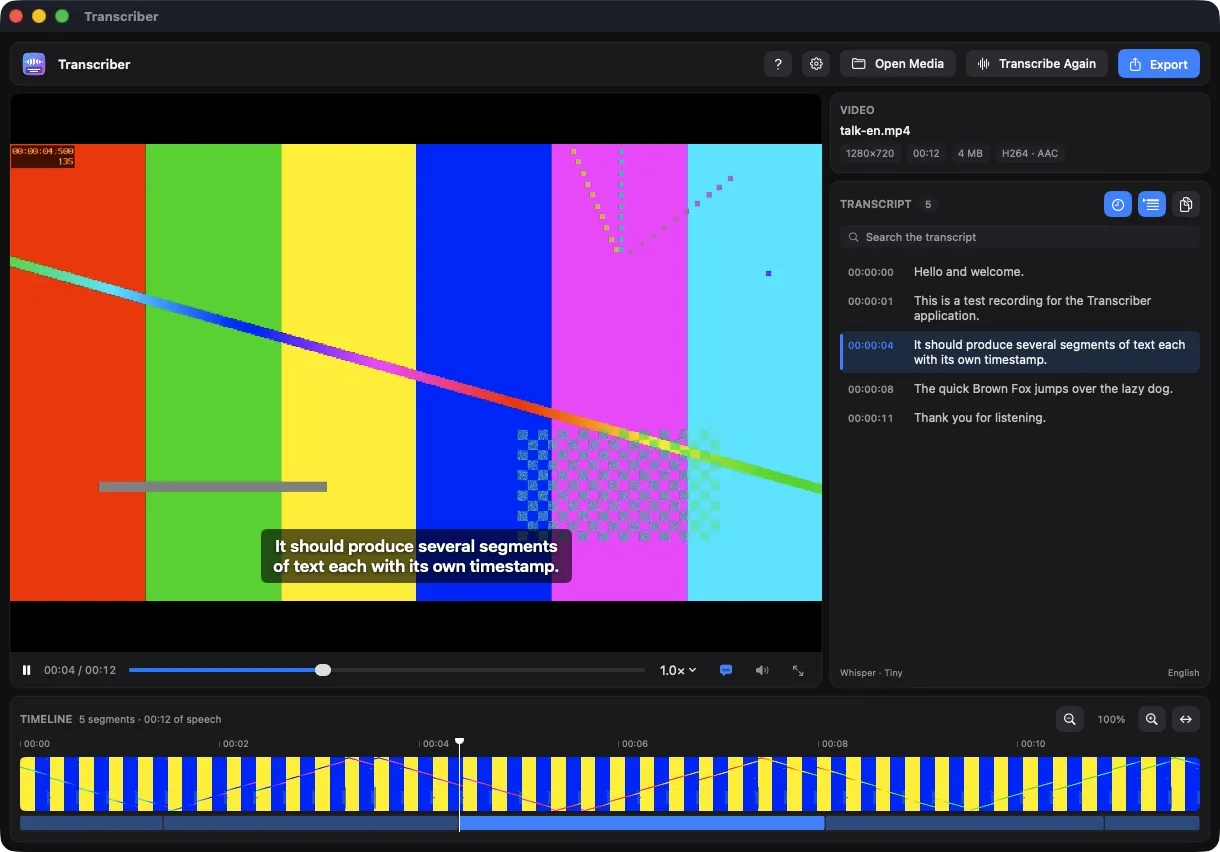
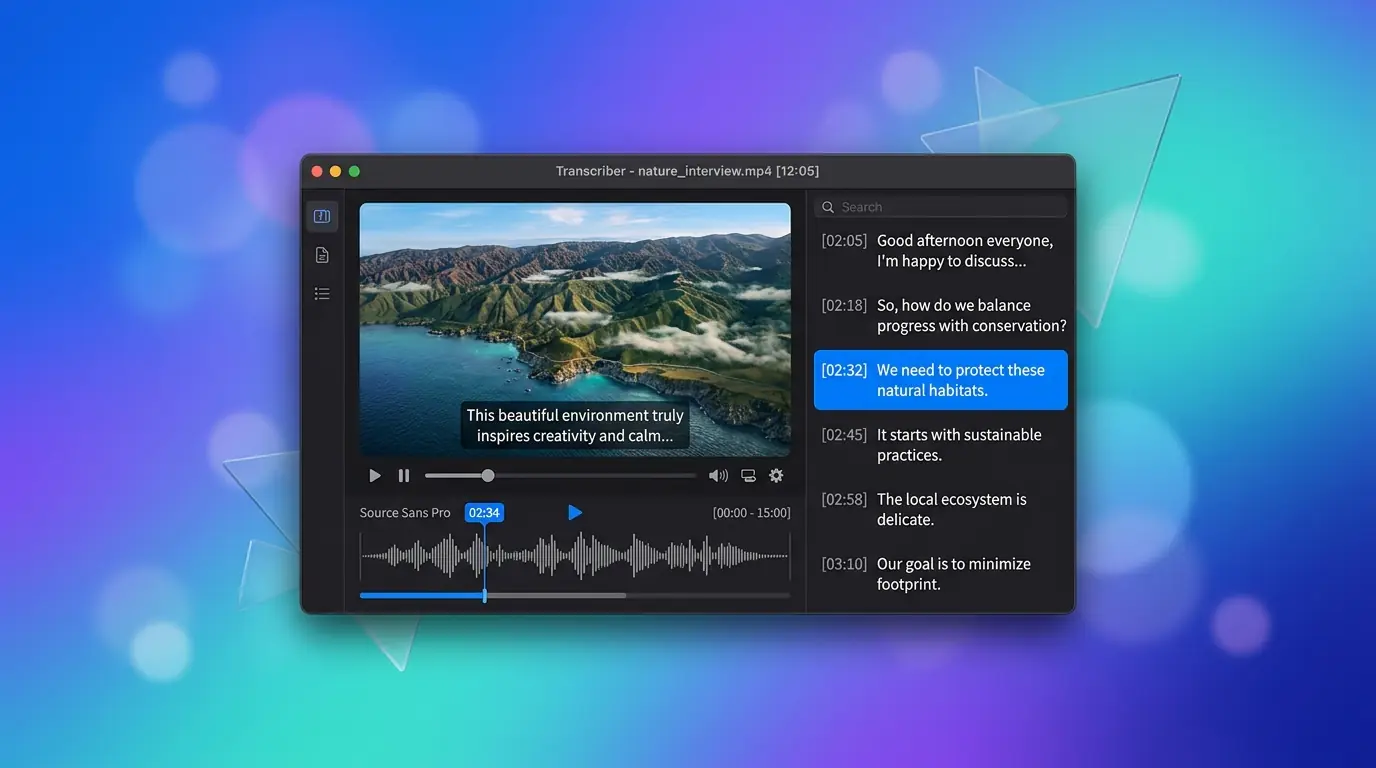
Caption tampil di gambar persis seperti hasil ekspor, transkrip menggulir sendiri mengikuti ucapan, dan klik baris mana pun untuk melompat ke sana. Salah dengar? Klik dua kali untuk memperbaikinya.The caption sits on the picture exactly as an export would draw it, the transcript scrolls itself to keep up, and clicking any line jumps there. Misheard something? Double-click to fix it.

Dua mesin, tanpa serverTwo engines, no server

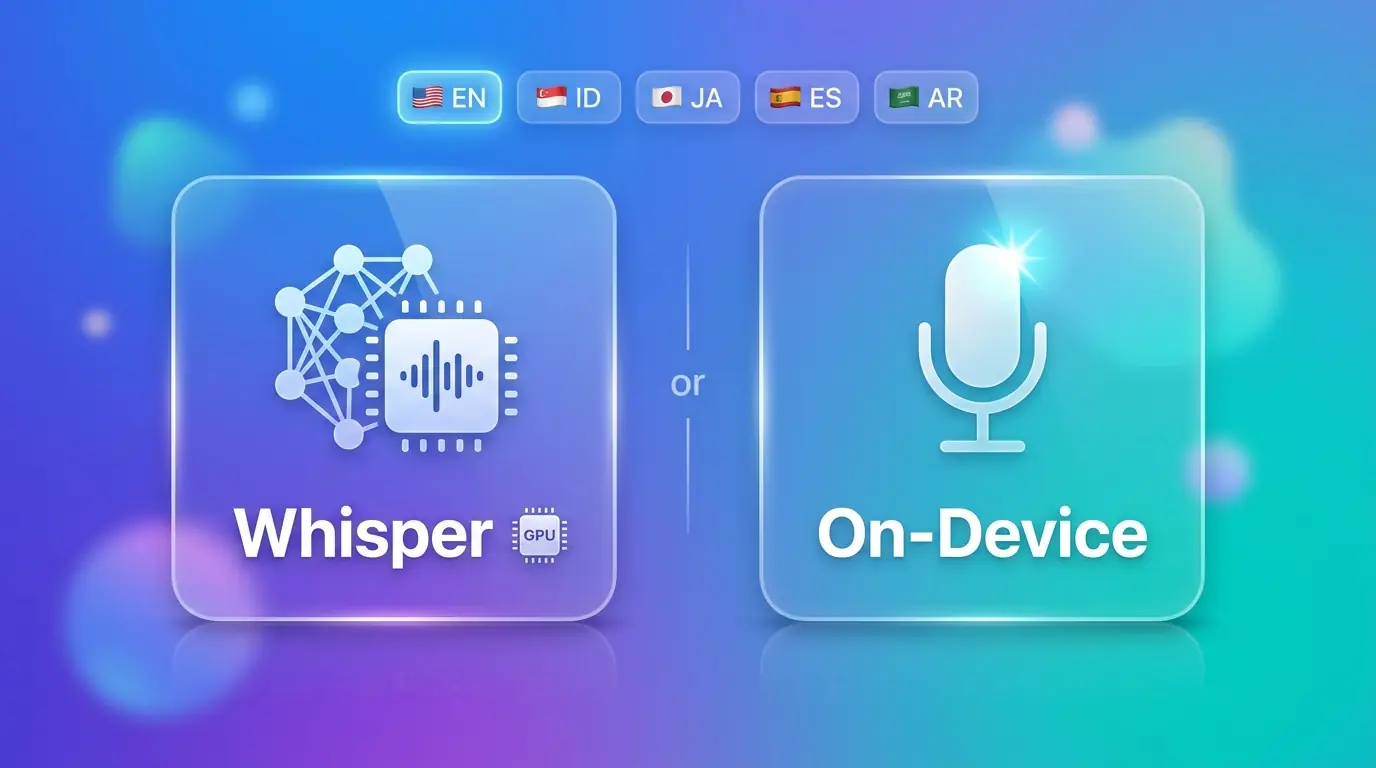
Whisper berjalan lokal lewat whisper-cpp di GPU (99 bahasa, deteksi otomatis, bisa diterjemahkan ke Inggris), atau pakai model ucapan bawaan macOS 26 yang tidak perlu diunduh sama sekali.Whisper runs locally through whisper-cpp on the GPU (99 languages, auto-detected, optional translation to English), or use the speech models built into macOS 26, which need no download at all.

Progres dengan ETA yang nyataProgress with a real ETA

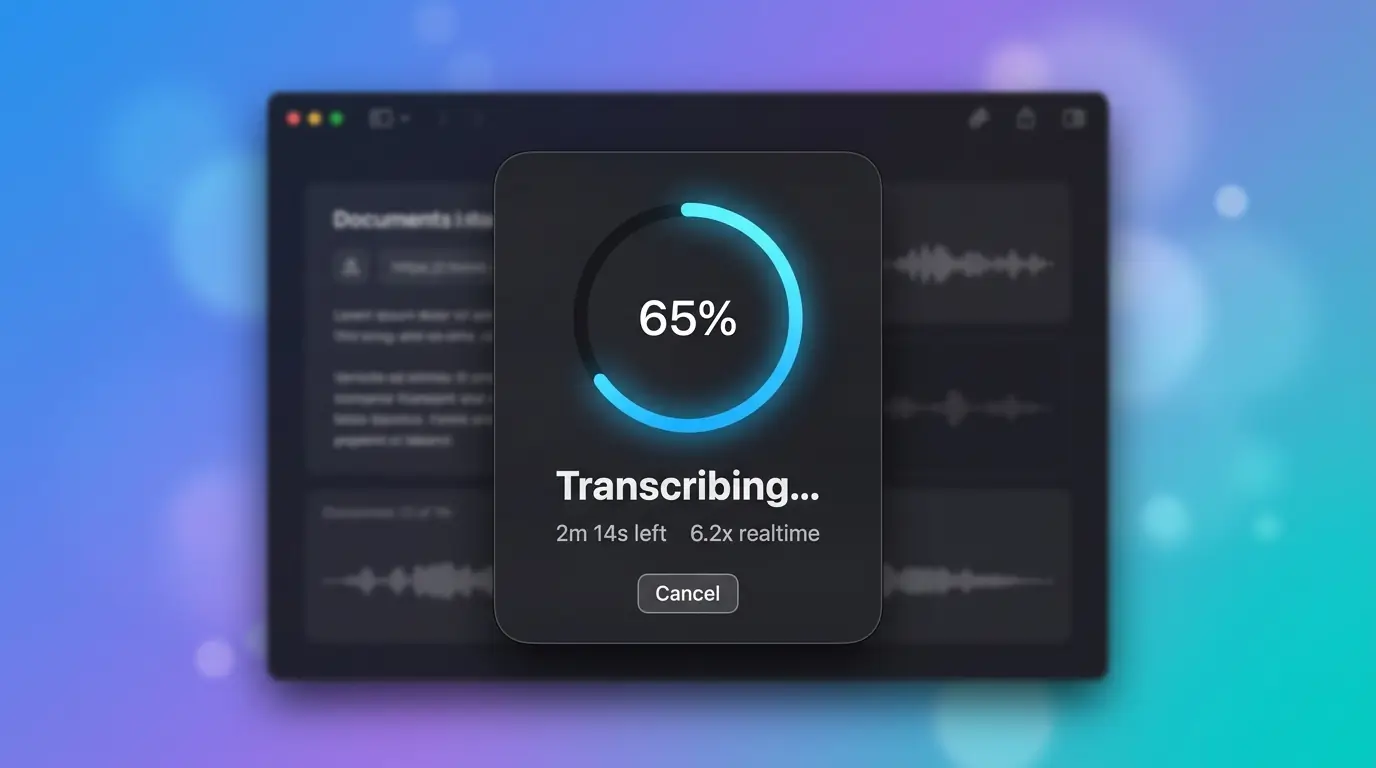
Setiap langkah panjang — unduh model, ekstrak audio, transkripsi (lengkap dengan kecepatan ×realtime), dan ekspor — punya cincin progres dan ETA. Semuanya bisa dibatalkan, dan transkripsi bisa berjalan di latar belakang.Every long step — model download, audio extraction, transcription (with a ×realtime figure) and export — gets a progress ring and an ETA. All of them can be cancelled, and a transcription can run in the background.

Empat cara keluarFour ways out

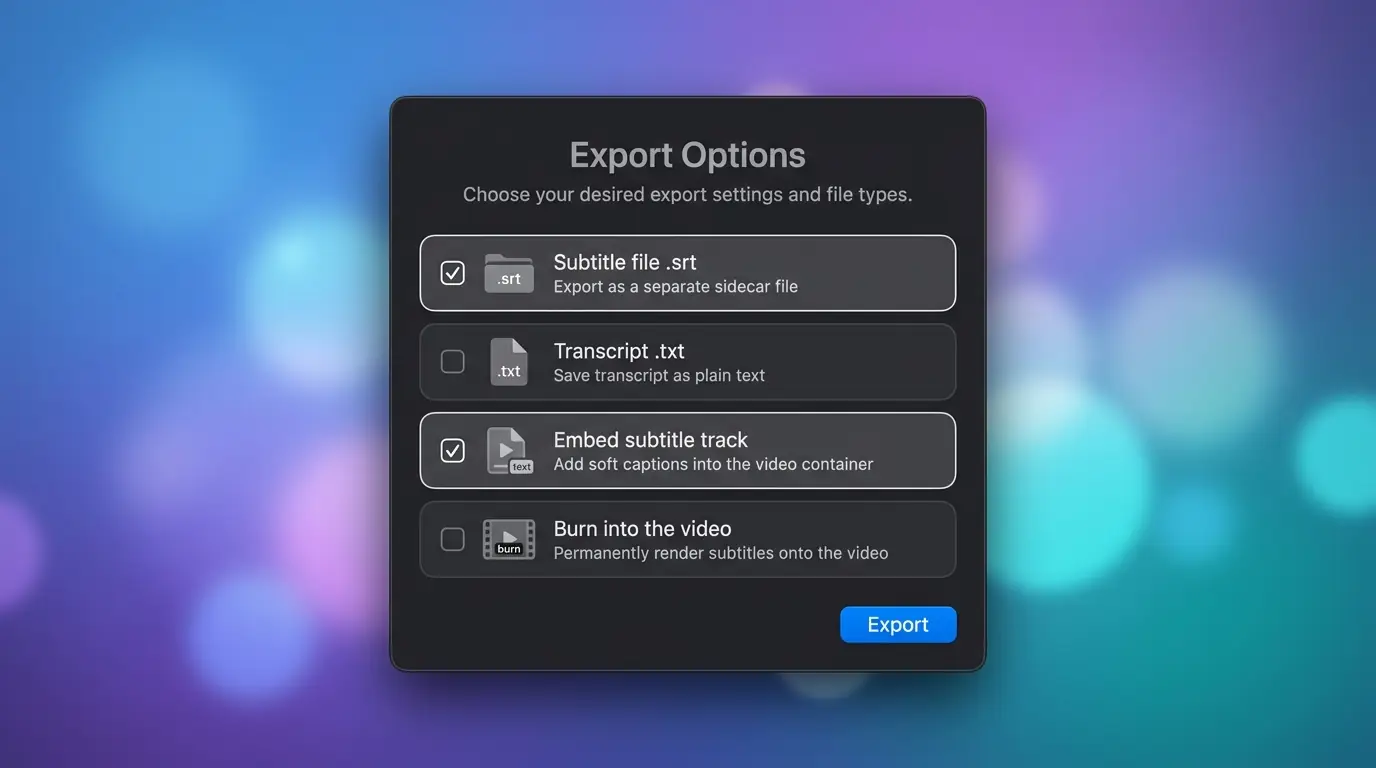
Subtitle .srt, transkrip .txt (dengan atau tanpa timestamp), track subtitle yang bisa dimatikan penonton (video dan audio disalin tanpa di-encode ulang), atau caption yang dibakar ke dalam gambar. Berkas asli tidak pernah ditimpa.An .srt subtitle file, a .txt transcript (with or without timestamps), a subtitle track viewers can switch off (video and audio are copied, not re-encoded), or captions burned into the picture. Your original file is never overwritten.

Cara memasangHow to install

Homebrew adalah cara termudah — satu perintah, tidak ada langkah lain:

Homebrew is the easiest way — one command, nothing else to set up:

brew install --cask ahmadarif-lab/tap/transcriber

Perintah ini menambahkan tap ahmadarif-lab/tap dan langsung membersihkan flag karantina, jadi aplikasi terbuka tanpa peringatan Gatekeeper. Lalu buka Transcriber dari Applications.

This adds the ahmadarif-lab/tap tap and clears the quarantine flag, so the app opens straight away — no Gatekeeper warning to click through. Then open Transcriber from Applications.

  1. Buka Transcriber dari Applications, jatuhkan video atau audio ke jendelanya, lalu tekan Transcribe. Saat pertama kali, model Whisper yang direkomendasikan (sekitar 547 MB) diunduh dari dalam aplikasi lengkap dengan progres dan ETA. Instalasi manual dari DMG juga butuh brew install ffmpeg whisper-cpp; lewat Homebrew sudah otomatis.
  2. Lewat DMG: unduh berkas di atas, buka, lalu seret Transcriber ke Applications.
  3. Transcriber ditandatangani ad-hoc, bukan dengan Developer ID dan dinotarisasi, jadi macOS memblokir pemasangan pertama dari DMG. Bersihkan sekali lewat Terminal: xattr -dr com.apple.quarantine /Applications/Transcriber.app, atau buka lewat System Settings → Privacy & Security → Open Anyway.
  4. Untuk memperbarui: instalasi Homebrew tinggal brew upgrade --cask transcriber, atau klik pembaruan yang ditawarkan aplikasi sendiri. Instalasi manual dari DMG akan diarahkan ke halaman rilis GitHub.
  1. Open Transcriber from Applications, drop a video or audio file onto its window, then press Transcribe. The first time, the recommended Whisper model (about 547 MB) is downloaded from inside the app, with a progress ring and an ETA. A manual DMG install also needs brew install ffmpeg whisper-cpp; Homebrew does that for you.
  2. Via DMG: download the file above, open it, then drag Transcriber into Applications.
  3. Transcriber is ad-hoc signed rather than signed with a Developer ID and notarized, so macOS blocks the first launch from a DMG. Clear it once from Terminal: xattr -dr com.apple.quarantine /Applications/Transcriber.app, or open it once through System Settings → Privacy & Security → Open Anyway.
  4. To update: a Homebrew install is just brew upgrade --cask transcriber, or click the update prompt the app offers on its own. A manual DMG install opens the GitHub release page instead.

PrivasiPrivacy

Audio dan videomu tidak pernah meninggalkan Mac. Whisper berjalan lokal lewat whisper-cpp, mesin Apple berjalan di perangkat, dan transkrip serta hasil ekspor ditulis di sebelah berkas aslimu. Tidak ada server dan tidak ada akun.

Your audio and video never leave your Mac. Whisper runs locally through whisper-cpp, the Apple engine runs on-device, and transcripts and exports are written next to your original file. No server, no account.

Akses jaringan hanya dua: mengunduh model ucapan dari Hugging Face saat kamu memintanya, dan memeriksa GitHub Releases API repo ini untuk versi baru, tanpa mengirim datamu.

The app touches the network for exactly two things: downloading a speech model from Hugging Face when you ask for one, and asking this repo's GitHub Releases API for a newer version, without sending your data.

Tanpa iklan, tanpa analitik pihak ketiga, tanpa pelaporan crash.

No ads, no third-party analytics, no crash reporting.

Kebijakan PrivasiPrivacy Policy · Syarat & KetentuanTerms of Service

Catatan: Transcriber adalah proyek independen dan tidak berafiliasi dengan OpenAI maupun Apple. Whisper adalah model buatan OpenAI yang dijalankan lewat whisper-cpp; hasil transkripsi bisa mengandung kesalahan, jadi periksa lagi sebelum dipakai.

Note: Transcriber is an independent project and is not affiliated with OpenAI or Apple. Whisper is a model by OpenAI run through whisper-cpp; transcripts can contain mistakes, so review them before relying on them.

Riwayat versiVersion history

Versi lama tetap bisa diunduh. Untuk memastikan berkas tidak berubah, cocokkan SHA-256-nya dengan shasum -a 256 namaberkas.Older versions stay available. To verify a file is unchanged, compare its SHA-256 with shasum -a 256 filename.

v1.0.0

13 September 2026September 13, 2026 TerbaruLatest
  • Rilis pertama. Ubah video atau audio menjadi teks langsung di Mac-mu — baca berdampingan dengan videonya, perbaiki yang salah dengar, lalu ekspor sebagai subtitle atau teks biasa. Tidak ada yang diunggah.
  • Dua mesin: Whisper lewat whisper-cpp di GPU (99 bahasa, deteksi otomatis, terjemahan opsional ke Inggris) atau model ucapan bawaan macOS 26 yang tanpa unduhan.
  • Empat hasil ekspor: .srt, .txt, track subtitle tertanam, atau caption yang dibakar ke gambar.
  • First release. Turn a video or an audio file into text on your own Mac — read it alongside the video, fix what was misheard, and export it as subtitles or as plain prose. Nothing is uploaded anywhere.
  • Two engines: Whisper through whisper-cpp on the GPU (99 languages, auto-detected, optional translation to English), or the on-device speech models built into macOS 26, which need no download.
  • Four ways out: .srt subtitles, a plain .txt transcript, an embedded subtitle track, or captions burned into the picture.
Transcriber.dmg · universal · 2,2 MB2.2 MB
SHA-256e2deaf6e50200e17a54b4e4f0632b3d61445e8cd4a8ef5b2d1e3e7316525d674