FiturFeatures
Kirim ke HP lain cukup scan QRSend to another phone with a QR scan
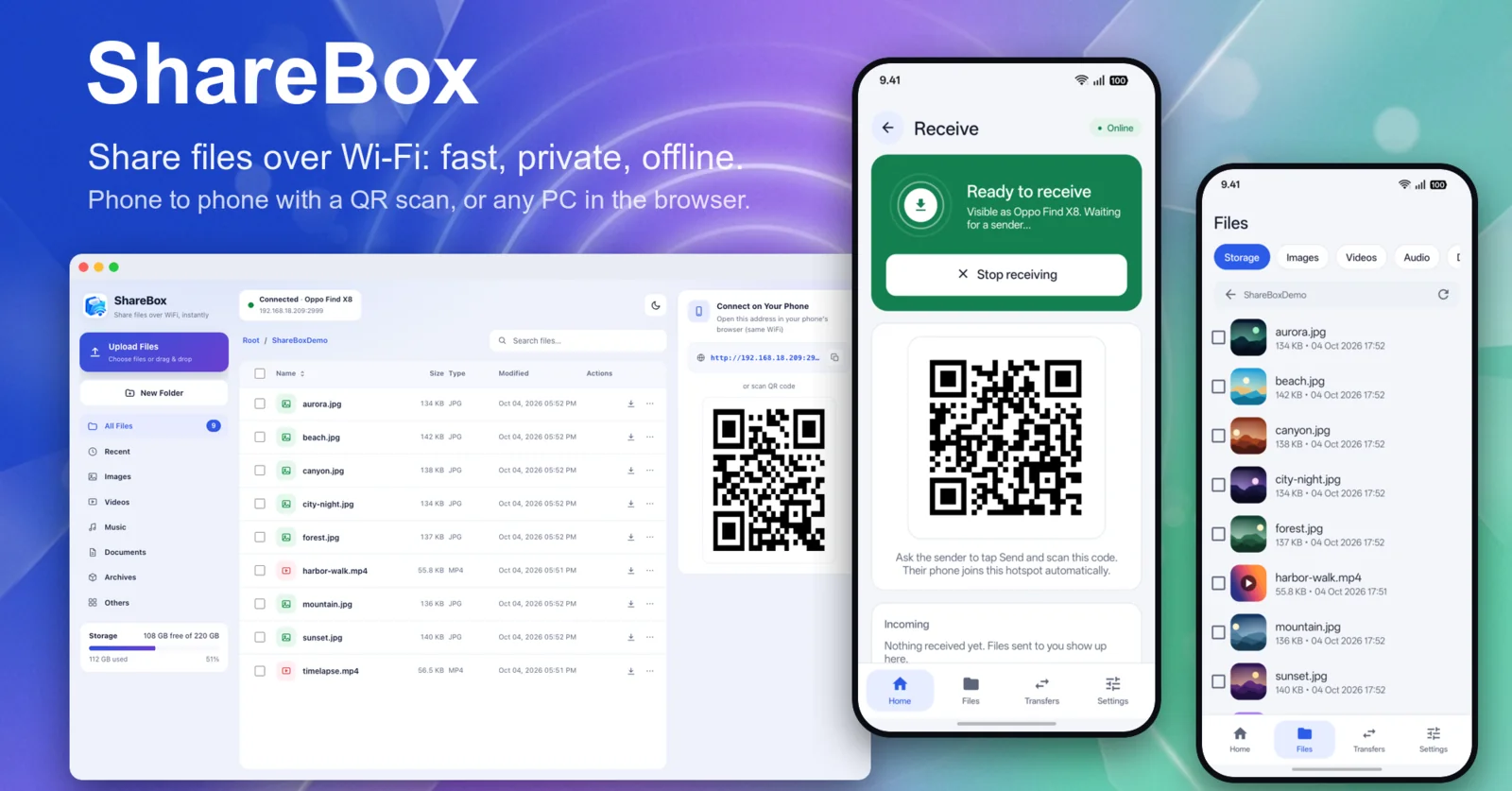
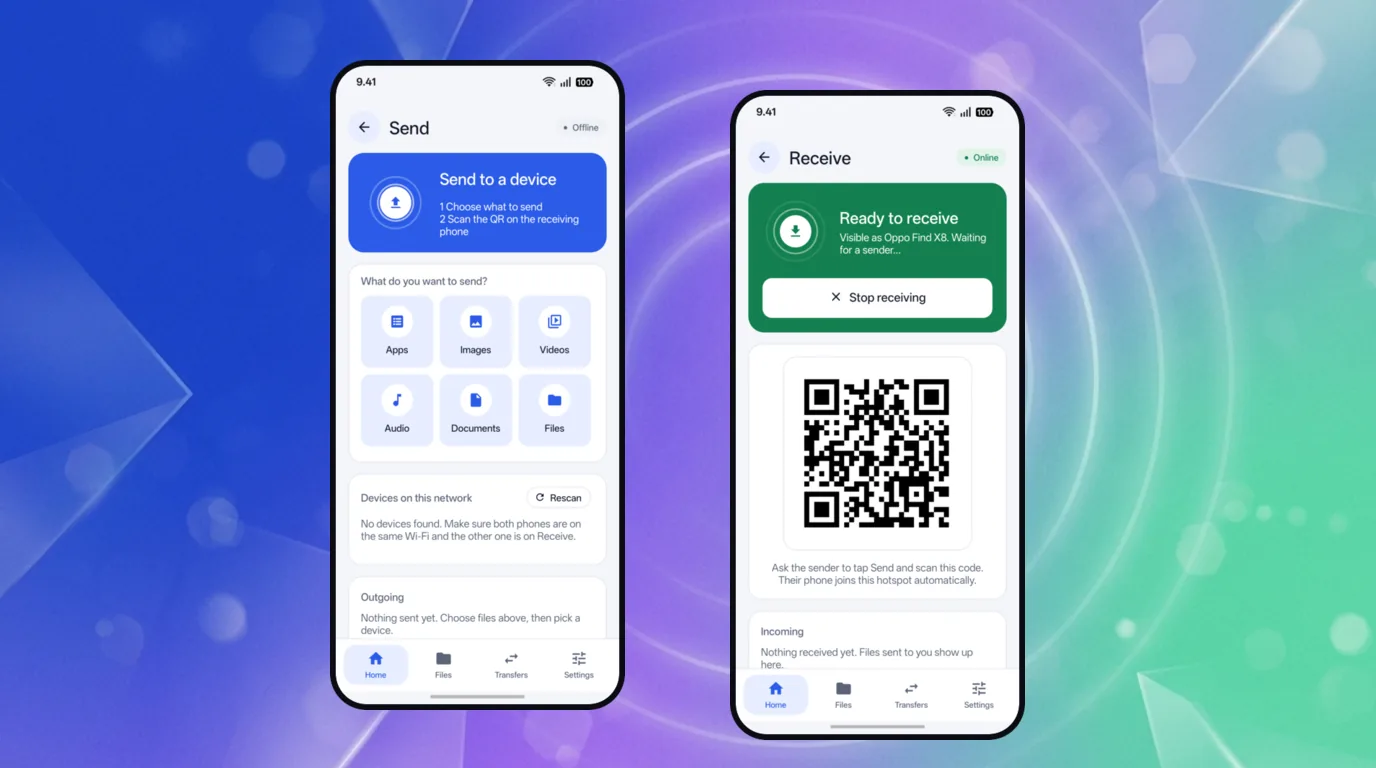
Penerima menyalakan Receive dan menampilkan QR. Pengirim memilih file, memindai QR, lalu tersambung ke hotspot penerima dan langsung mengirim. Tanpa kabel, tanpa mengetik sandi.The receiver taps Receive and shows a QR. The sender picks files, scans it, joins the receiver's hotspot and sends right away. No cable, no typing a password.
Pengelola file di browser untuk PCA web file manager for your PC
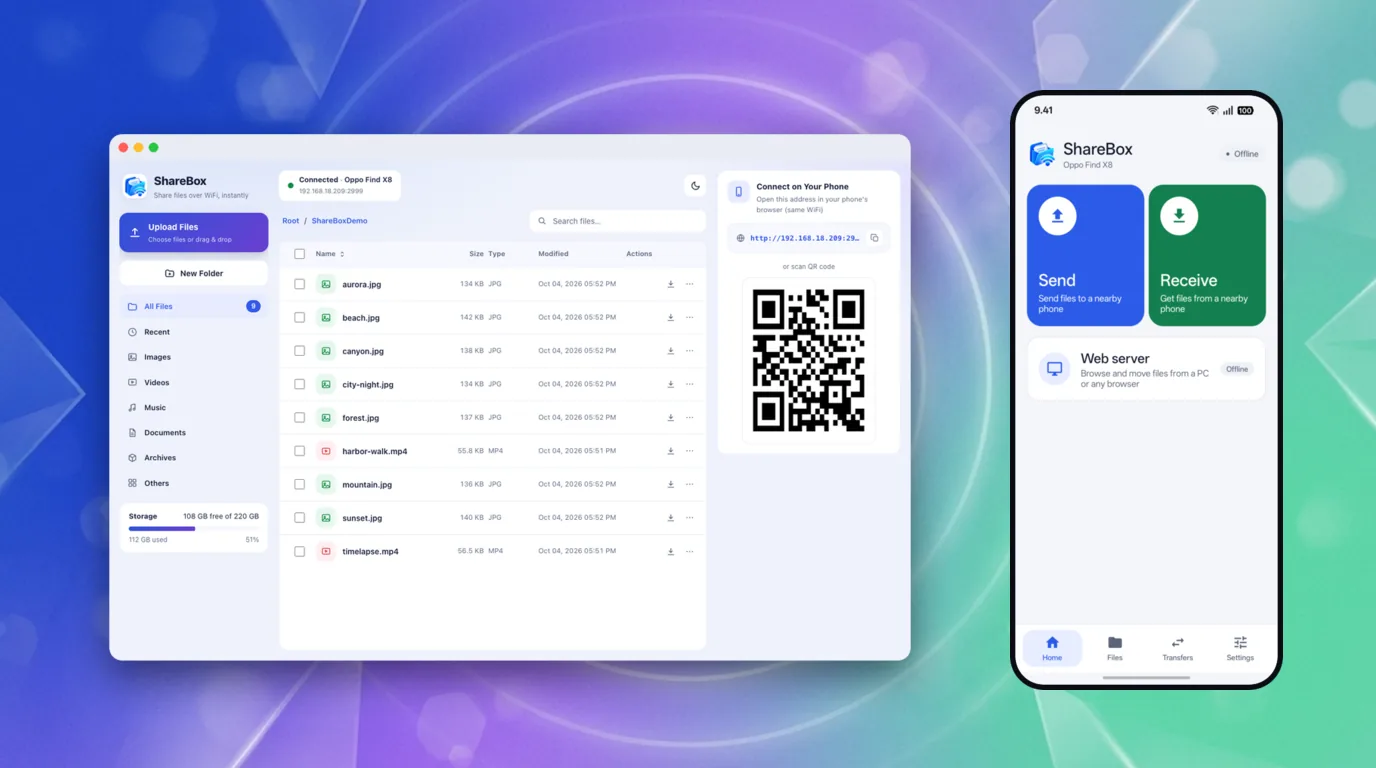
Nyalakan Web server, buka alamatnya di browser PC atau HP mana pun di Wi-Fi yang sama: jelajahi, unduh, unggah, ganti nama, hapus, dan unduh folder sebagai zip.Turn on the Web server and open its address in any PC or phone browser on the same Wi-Fi: browse, download, upload, rename, delete, and download a folder as a zip.
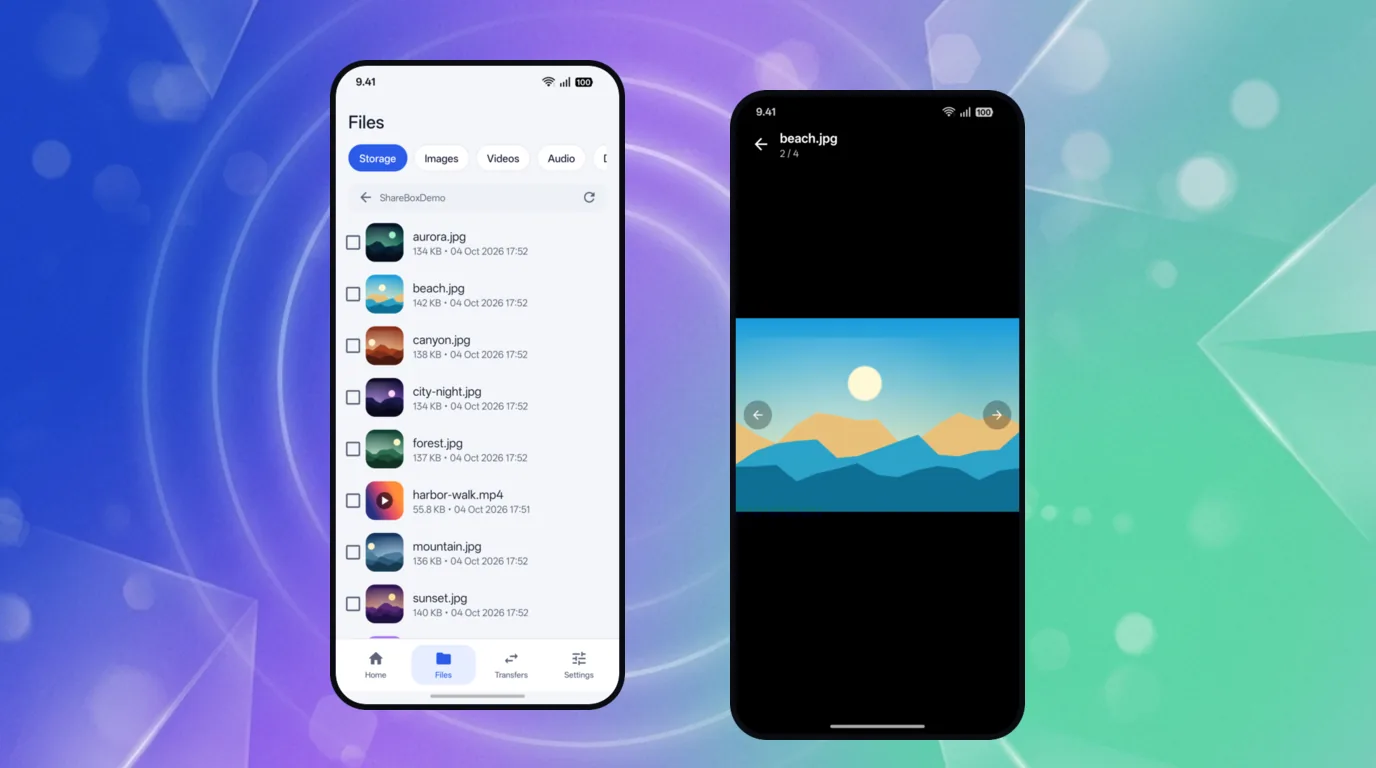
Pratinjau foto dan video langsung di appPhoto and video previews built in
Thumbnail gambar dan video di daftar file, penampil bawaan dengan zoom dan geser antar-foto, dan aplikasi terpasang bisa dikirim sebagai APK.Image and video thumbnails in the file list, a built-in viewer with zoom and swipe between photos, and installed apps can be sent as APKs.
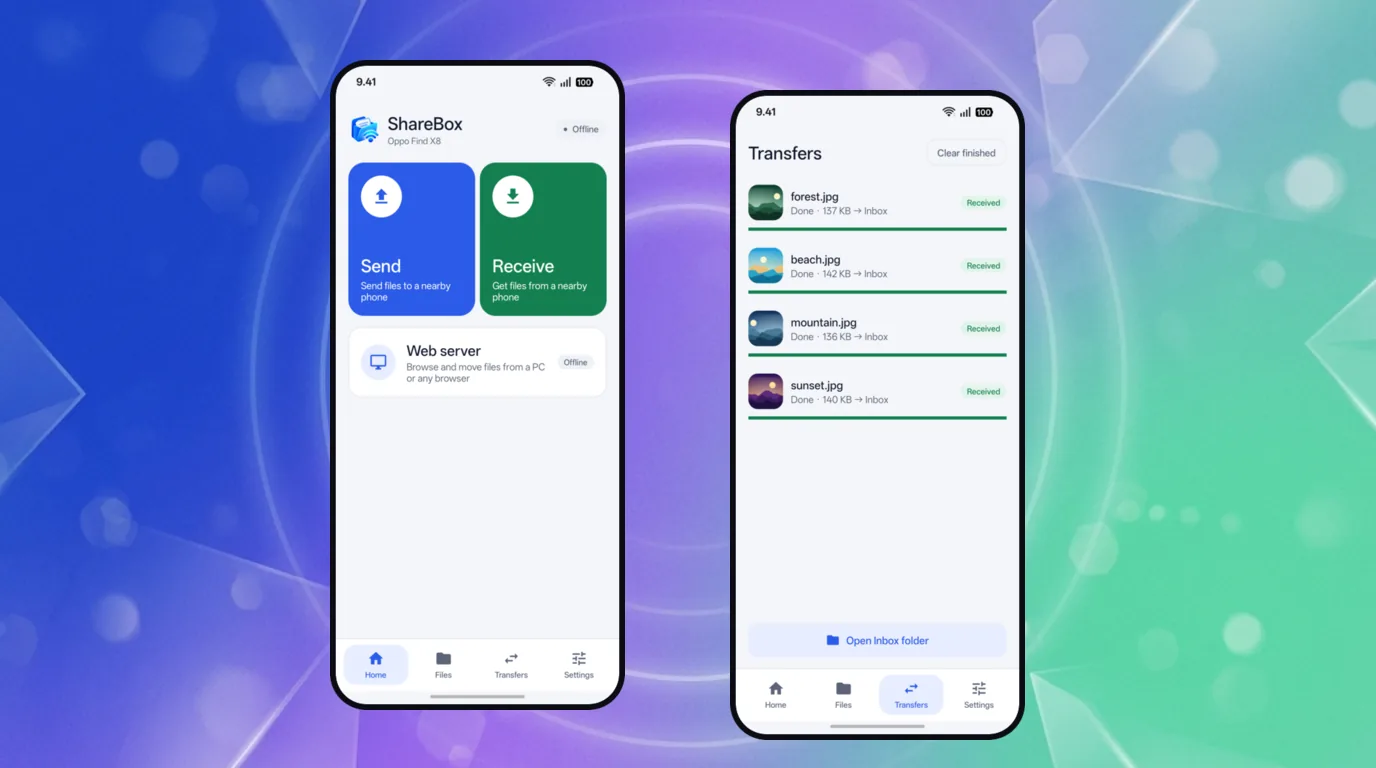
Sangat kecil, tanpa iklan, tanpa akunTiny, ad-free, no account
Ukuran aplikasi sekitar 220 KB. Semua berjalan di jaringan lokalmu; tidak ada akun, iklan, pelacak, atau server kami.The app is about 220 KB. Everything runs on your local network; there is no account, no ads, no trackers and no server of ours.
Cara memasangHow to install
- Unduh berkas APK di atas. Satu APK ini cocok untuk semua HP.
- Buka berkas yang diunduh. Karena dipasang di luar Play Store, Android akan meminta izin "Instal aplikasi tidak dikenal" untuk browser atau file manager yang kamu pakai. Izinkan, lalu ketuk Instal.
- Buka ShareBox dan izinkan akses semua file saat diminta, supaya app bisa menampilkan dan mengirim file di HP-mu. Untuk kirim antar-HP, pasang ShareBox di kedua HP: satu memilih Receive, satunya Send.
- Untuk memperbarui, pasang APK versi baru di atas yang lama; datamu tetap ada. Unduh hanya dari halaman ini.
- Download the APK above. This single APK works on every phone.
- Open the downloaded file. Because it is installed outside the Play Store, Android will ask you to allow "Install unknown apps" for the browser or file manager you use. Allow it, then tap Install.
- Open ShareBox and allow all-files access when asked, so the app can list and send the files on your phone. To send between phones, install ShareBox on both: one taps Receive, the other Send.
- To update, install the new APK over the old one; your data stays. Only download from this page.
Muncul peringatan saat mengunduh? Chrome memberi peringatan bahwa berkas "mungkin berbahaya" (contoh: "File might be harmful") untuk semua berkas APK yang diunduh di luar Play Store, bukan hanya app ini. Pastikan kamu mengunduh dari halaman ini: sumbernya biasanya tertulis github.com atau githubusercontent.com (server berkas rilis GitHub). Kalau sudah yakin, pilih opsi untuk tetap melanjutkan (misalnya "Download anyway"). Untuk memastikan berkasnya tidak berubah, cocokkan SHA-256 di Riwayat versi.
Seeing a warning while downloading? Chrome warns that a file "might be harmful" (for example "File might be harmful") for every APK downloaded outside the Play Store, not just this app. Make sure you are downloading from this page: the source is usually shown as github.com or githubusercontent.com (GitHub's release file servers). If you are sure, choose the option to continue anyway (for example "Download anyway"). To make sure the file is unchanged, compare its SHA-256 in the Version history.
PrivasiPrivacy
ShareBox berjalan sepenuhnya di jaringan lokalmu. Tidak ada akun, iklan, atau pelacak, dan file yang kamu kirim langsung berpindah antar perangkat, tidak lewat server kami. Kamera hanya dipakai untuk memindai QR dan tidak merekam atau menyimpan gambar. App memeriksa versi baru dengan mengunduh satu berkas info dari situs ini (tanpa mengirim datamu); bisa dimatikan di Pengaturan.
ShareBox runs entirely on your local network. There is no account, no ads and no trackers, and the files you send go straight between devices, not through our servers. The camera is only used to scan QR codes and never records or stores images. The app checks for new versions by downloading one info file from this site (without sending your data); you can turn it off in Settings.
Kebijakan PrivasiPrivacy Policy ·
Syarat & KetentuanTerms of Service
Penting: server web di ShareBox tidak memakai kata sandi, jadi siapa pun di jaringan yang sama bisa membukanya selama menyala. Pakai hanya di jaringan yang kamu percaya, dan matikan setelah selesai.
Important: the web server in ShareBox has no password, so anyone on the same network can open it while it is on. Use it only on networks you trust, and turn it off when you are done.
Riwayat versiVersion history
Versi lama tetap bisa diunduh. Untuk memastikan berkas tidak berubah, cocokkan SHA-256-nya dengan shasum -a 256 namaberkas.Older versions stay available. To verify a file is unchanged, compare its SHA-256 with shasum -a 256 filename.
v0.1.0
4 Oktober 2026October 4, 2026
TerbaruLatest
- Rilis pertama ShareBox.
- Kirim HP ke HP: Receive menyalakan hotspot dan menampilkan QR; Send memilih file, memindai QR, lalu langsung mengirim.
- Server web untuk PC: jelajahi, unduh, unggah, dan kelola file dari browser mana pun di Wi-Fi yang sama.
- Thumbnail gambar dan video, penampil bawaan dengan zoom dan geser, serta kirim aplikasi terpasang sebagai APK.
- Pemeriksaan pembaruan sekali sehari (bisa dimatikan di Pengaturan).
- First release of ShareBox.
- Phone to phone: Receive turns on a hotspot and shows a QR; Send picks files, scans the QR and sends right away.
- A web server for your PC: browse, download, upload and manage files from any browser on the same Wi-Fi.
- Image and video thumbnails, a built-in viewer with zoom and swipe, and installed apps can be sent as APKs.
- An update check once a day (can be turned off in Settings).